 Launcher 1.3.6 — Auction House in your language
The auction house now understands
English, French, German and Turkish item names. Just update the launcher (it will offer the update on next start).
How it works
- Type an item name in your language in the normal auction window and hit
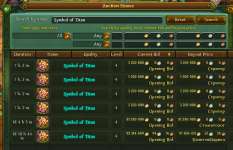
Search. The addon translates it to Russian behind the scenes, and the results show up in a second.
-
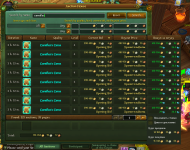
Full name → direct results (e.g. `Medium Handbook of the Inventor`).
-
Partial name → all items sharing that name (e.g. `Medium Handbook`, `Microchip`).
-
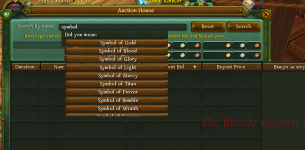
Too broad (e.g. `sword`) → a
"Did you mean:" list appears under the search box: click a name to search it.
-
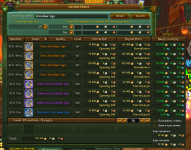
Pages and column sortin* work as usual on translated searches.
- Searching in Russian still works exactly as before.
Good to know
- The server only accepts
one Russian search text at a time, and Russian words change form. For example, `Medium Handbook` matches two items:
Medium Handbook of the Inventor → `Большой справочник Изобретателя` and
Page from the Medium Handbook… → `Страница большого справочника Изобретателя` (`Большой` / `большого`). There is no single Russian name covering both, so the addon searches the part they share (here `Изобретателя`).
- Because of that, partial searches may show a few
extra items containing the same Russian word (e.g. other "…of the Inventor" items). Type the full name for an exact result.
-
Sorting by Name follows the server's Russian alphabetical order, not your language's.
- The
Quality filter isn't supported yet with translated searches. It is ignored, and a short notice tells you so. Level, price and category filters work.
- A material alone (e.g. `Raw Steel`) can't be searched; type the item name instead.
- After a game patch, brand-new items may take a little while before they can be searched in your language.


 Launcher 1.4.0 — New look, server map, Renown and maintenance alerts
 A new look
 A home page with live info
 The Astral of ADC: server map
 Renown
 New to Allods?
 Official maintenance alerts
 Shop
Shop License only (without Premium)
 New pricing model
 Translation status
 Technical notes
 Important