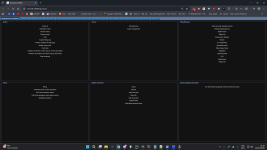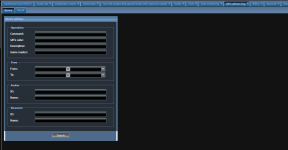

Сорок два
Administrator





Allods Online GameTool — Complete Configuration, Deployment and Operations Guide
Applies to: Allods Online 3.0 and 4.0 community server releases
Primary reference environment: Allods Online 3.0 on Ubuntu/WSL2 with Docker Desktop
GameTool web application: JBoss 4.2.3-based Java EAR
Database: PostgreSQL
For many years, GameTool was one of the least documented parts of the Allods server stack. Having the files was not enough: the application also needed a matching shard configuration, a working Master Server connection, the PostgreSQL databases, the correct legacy Java runtime, game resources, enough memory, and a very long first initialization. A failure in any one of these areas usually produced a large log containing unrelated warnings, which made the real problem difficult to identify.
The corrected and functional server_bin/gametoolEAR directory is included in the Allods Online 3.0 public release. The same applies to the Allods Online 4.0 public release: it includes its own version-specific corrected GameTool directory and uses the same general deployment model described here.
QUICK GUIDE MAP
- UNDERSTAND — Sections 1–7 explain the architecture, features, ports, resource cost and every important configuration field.
- DEPLOY — Sections 8–10 cover installation, first startup, administrator creation and permissions.
- OPERATE — Sections 11–16 cover daily commands, logs, ETL, backups, memory tuning and 3.0/4.0 differences.
- REPAIR — Sections 17–19 provide detailed troubleshooting, support information and the final validation checklist.
Never mix the 3.0 and 4.0 GameTool directories, EAR files, JAR files, resource indexes or shard.xml files. The architecture is similar, but the binaries and data structures belong to their exact server version.
1. What GameTool actually is
GameTool is not a small GM command panel. It is a complete internal administration and reporting service. It combines several components:
- A Java/JBoss application server.
- A modern-for-its-time GWT web interface.
- A second legacy query interface.
- A PostgreSQL schema owned and maintained by GameTool.
- An ETL system that consumes and transforms data coming from the game services and Log Server.
- A resource loader that resolves Allods XDB resources, items, maps and localized names.
- A security system based on users, roles and operation permissions.
- Connections to Master Server, Log Server, Billing Server, Item Mall and the configured shard.
The simplified data flow is:
Game client and shard
        |
        +----> Master Server / shard control services
        |
        +----> Log Server ----> PostgreSQL database: logserver
                      |
                      v
                       Web browser ----> GameTool/JBoss ----> PostgreSQL database: gametool
                       |
                       +----> game resources and XDB index
                       +----> ETL queues and statistics
+----> GM actions sent to the configured shardA page opening in the browser proves only that JBoss and the web interface are running. A fully operational GameTool also needs its shard connection, resource index and ETL pipeline to be healthy.
2. Main features
The exact amount of visible data depends on the events already generated by your server and on the permissions assigned to the connected GameTool user.
2.1 Accounts, avatars and sessions
- Search accounts and avatars.
- Display avatar properties, level, experience, money and cash-shop currency.
- Inspect account sessions, avatar sessions and session events.
- Review item histories and character-related event history.
- Rename avatars where the corresponding operation permission is granted.
- Change avatar money, Item Mall money, level and experience.
- Teleport avatars.
- Operate on avatar items through the supported GM forms.
2.2 Live administration and moderation
- Kick a connected user.
- Ban and unban accounts.
- Mute and unmute players.
- Create and delete notices.
- Review chat and chat-monitoring data.
- Review GM actions and access activity.
2.3 Guild, ship and world information
- Search and inspect guilds.
- Update supported guild properties.
- Inspect astral ships and ship events.
- Review territorial-war data.
- Review boss kills, astral boss kills and PvP kills.
- Review bulletin-board and notice data.
- Validate or inspect uploaded screenshots where that subsystem is used.
2.4 Billing and Item Mall
- Review Billing and cash-shop operations.
- Review raw Item Mall operation entries.
- Inspect and edit the Item Mall assortment with the required permission.
- Import or export assortment data.
- Download the working assortment from Billing Server.
- Upload a prepared assortment to Billing Server.
Uploading an Item Mall assortment can replace the assortment used by Billing Server. Back up the GameTool and Billing data first and do not test this action on a live community server.
2.5 Statistics, diagnostics and ETL
- Concurrent-user and CCU diagrams.
- Server and game statistics.
- Top-avatar reports and activity reports.
- Cheater, client-hack, master-access and demo-violation records when these events are produced.
- ETL progress, queue lag, failures and source-processing diagnostics.
- Database and query diagnostics.
- Scheduled rules and statistics tuning.
- Distribution and distribution-mark information.
Many reporting pages remain empty on a new server. This is normal until the shard produces events and the ETL loaders have imported them. An empty report is not automatically a broken report.
3. Included web applications and URLs
The GameTool EAR deploys two interfaces:| Interface | Context | URL | Purpose |
|---|---|---|---|
| GWT GameTool | /gmtool | http://WSL_IP:8088/gmtool/ | Main administration interface. |
| QueryWeb | /gametool | http://WSL_IP:8088/gametool/ | Older query-oriented interface. |
Display the current WSL address from the server root:
cat .server-ipIf the command prints
172.30.113.41, for example, open:http://172.30.113.41:8088/gmtool/Port 8088 serves a very old JBoss generation and uses plain HTTP by default. It must not be forwarded directly to the public Internet. Keep it on the local/private network, or put it behind a VPN or a hardened HTTPS reverse proxy with strict IP filtering and additional authentication. Database ports 33306 and 55432 must never be exposed publicly.
4. Dependencies and port map
| Port | Service | GameTool use |
|---|---|---|
8088 | GameTool HTTP | Main and legacy web interfaces. |
10502 | GameTool mock Master API | Local Jetty endpoint created by the GameTool launcher from its shard configuration. |
8089 | Log Server HTTP | Log Server service used alongside GameTool. |
10501 | Log Server control endpoint | Internal Log Server service communication. |
55432 | PostgreSQL 9.3 | Hosts the gametool and logserver databases. Bound to localhost in the public release. |
33306 | MySQL 5.7 | Used by other Allods services; GameTool still depends on the complete server stack being coherent. |
9337, 9347, 9357 | Account Server | Authentication, shard approval and account-side API services. |
9322-9325 | Shard frontends | Game-facing shard services. |
GameTool should normally be started only after Account Server, Master Server, Billing Server, Item Mall Server and Log Server. The public launcher uses this order automatically and starts the shard after GameTool.
5. Resource cost — read this before enabling GameTool
GameTool is one of the heaviest auxiliary services in this generation of the Allods stack. Its cost comes from JBoss, the GWT application, XDB resource indexing, PostgreSQL schema work, ETL queues, query caches and many background threads.
The corrected 3.0 launcher currently uses:
-Xms128m
-Xmx512m
-XX:MaxPermSize=512m
-XX:+UseConcMarkSweepGC
These numbers are not the complete process memory. The 512 MB heap limit does not include PermGen, thread stacks, JIT-compiled code, native libraries, memory-mapped files, JVM overhead or Linux filesystem cache.
| Profile | Java settings | Practical expectation |
|---|---|---|
| Included low-memory 3.0 profile | -Xms128m -Xmx512m -XX:MaxPermSize=512m | Allow roughly 1 to 1.5 GB of host memory headroom for the GameTool process. Heavy ETL/resource activity can still reach the heap limit. |
| Balanced private-server profile | -Xms256m -Xmx1024m -XX:MaxPermSize=512m | More reliable for a populated server, provided the machine has enough RAM for the rest of the stack. |
| Heavy or multi-shard use | -Xms1024m -Xmx2048m or higher after measurement | For large ETL loads only. Increase gradually and monitor the complete machine. |
| Historical 4.0 launcher | -Xms1024m -Xmx4048m -XX:MaxPermSize=512m | Explains why old 4.0 deployments could reserve several gigabytes for GameTool alone. Do not copy this blindly to a 12 GB host. |
For the complete 3.0 stack, 16 GB RAM is recommended and 12 GB is the practical minimum. If the machine is close to its limit, Windows, WSL2, Docker, PostgreSQL, MySQL, the shard and the Java services will compete for memory. Symptoms include severe paging, very slow map loading, ETL suspension, Java heap errors and the whole computer appearing frozen.
The first start is also disk and CPU intensive because GameTool may:
- Create or update more than one hundred historical database schema stages.
- Scan the game resource tree.
- Generate
Resource.Data.data,Resource.IdByPath.dataandResource.PathById.data. - Build application deployment and entity caches.
- Create or recover persistent ETL queues under
out/stored-queues. - Begin importing Log Server data.
Always run the server from the Linux filesystem, such as
~/allods30. Running GameTool from /mnt/c, /mnt/d or another Windows-mounted path can make the large number of small-file operations dramatically slower.6. GameTool directory anatomy
| Path | Purpose |
|---|---|
server_bin/gametoolEAR/gametoolEAR.ear | Deployable application containing the GWT UI, legacy QueryWeb UI and server-side GameTool services. |
server_bin/gametoolEAR/shard.xml | Runtime topology: GameTool web bind, databases, Master Server and shard connection. |
server_bin/gametoolEAR/database-structure.xml | Description of the GameTool data model used by schema and ETL components. |
server_bin/gametoolEAR/run-gametool.sh | Launcher, JVM limits, bind address, JBoss profile and control endpoint. |
server_bin/gametoolEAR/stop-gametool.sh | Legacy PID-based stop helper. Prefer the complete stack launcher for normal operations. |
server_bin/gametoolEAR/cfg/ | JBoss configuration, logging, localization, XSL transforms, security and datasource templates. |
server_bin/gametoolEAR/out/console.log | Primary launcher and boot output. |
server_bin/gametoolEAR/out/00_LAST/ | Detailed GameTool, JBoss, ETL, query, access and memory logs. |
server_bin/gametoolEAR/out/cache/ | Generated entity/query cache. Do not copy this between server versions. |
server_bin/gametoolEAR/out/stored-queues/ | Persistent ETL queues. Never delete them while GameTool is running. |
server_bin/jars/ | Shared Allods Java libraries, JBoss launcher and database updater. |
vendors/Java/ | Bundled version-compatible JDK selected by defineJavaHome.sh. |
7. Understanding shard.xml
The 3.0 configuration contains several generated/basepart/shard views of the GameTool block. This repetition is intentional. Useconfigure-server.sh to replace the server address everywhere; editing only the first visible occurrence can leave an inconsistent runtime configuration.A simplified block looks like this:
<gametoolEAR ip="127.0.0.1" config="cfg" lang="rus">
  <instance mode="master" id="Game Of Gods"/>
  <web host="YOUR_WSL_IP" port="8088"/>
  <gametool-database host="127.0.0.1" port="55432"
                     database="gametool"
                     login="postgres" password="postgres"/>
  <standard-gametool-config>
    <mode name="master"/>
    <instance name="Game Of Gods"/>
    <web host="YOUR_WSL_IP" port="8088"/>
    <database-defaults>
      <default-gametool-database host="127.0.0.1" port="55432"
          database="gametool" login="postgres" password="postgres"/>
      <default-logserver-database host="127.0.0.1" port="55432"
          database="logserver" login="postgres" password="postgres"/>
    </database-defaults>
    <master address="127.0.0.1" login="*" password="*"/>
    <shard id="Game Of Gods" name="Game Of Gods"
           address="YOUR_WSL_IP" login="test" password="test"
           config="../shard/cfg/shard.xml"/>
  </standard-gametool-config>
</gametoolEAR>
7.1 Meaning of every important field
ip="127.0.0.1"is the internal GameTool service identity/address used by the Allods framework. Keep it on loopback for the standard single-machine deployment.config="cfg"selects the configuration directory located beside the launcher.lang="rus"selects the available historical localization bundle. It does not mean that every visible label is Russian; the package contains mixed legacy localizations.instance mode="master"configures this service as the central GameTool instance.- The instance
id, standard instancename, shardidand shardnamemust describe the same configured server instance. web hostis the address on which the web connector listens. Under WSL2 it must be the WSL address stored in.server-ipif Windows must open the page.web port="8088"is the GameTool HTTP port.gametool-databaseis GameTool's own schema and administration database.default-logserver-databaseis the source database used by reporting and ETL modules.host="127.0.0.1" port="55432"reaches the PostgreSQL Docker port published only on the WSL host loopback.master address="127.0.0.1"connects to Master Server on the same WSL instance.- The
shardelement declares which shard GameTool administers and where its matching shard configuration is located. - The
loginandpasswordinside the shard relation are internal service credentials. They are not the username and password entered in the web browser. Do not change only one side of this relation.
7.2 Apply or refresh the WSL address
From the server root:./configure-server.sh
cat .server-ipTo force a known address:
./configure-server.sh YOUR_WSL_IPThe configuration helper updates all active
shard.xml files. The current fixed GameTool launcher also contains a JBoss bind address, so verify it separately:cat .server-ip
grep -n 'jboss.bind.address' server_bin/gametoolEAR/run-gametool.shIf the two addresses do not match, update the launcher safely:
SERVER_IP="$(cat .server-ip)"
sed -i -E "s/-Djboss\.bind\.address=[^ ]+/-Djboss.bind.address=${SERVER_IP}/" \
  server_bin/gametoolEAR/run-gametool.sh
Run this verification again whenever WSL receives a new address and port 8088 stops binding.
8. Complete deployment procedure for the public release
8.1 Prepare the normal server installation
Follow the main public 3.0 installation guide first. Extract the server into the Ubuntu filesystem, then run:cd ~/allods30/Allods-Online-3.0-Server
chmod +x install.sh
./install.shThe installer starts MySQL and PostgreSQL, creates the required empty databases, detects the WSL address and configures the server files. GameTool does not require a system-wide modern Java installation; the release uses its bundled version-compatible JDK.
Confirm that PostgreSQL is healthy and that both GameTool databases exist:
docker compose ps
docker exec allods30-postgres psql -U postgres -d postgres -c '\l'
The list must include
gametool and logserver. If they are missing, do not start GameTool and jump to the troubleshooting section.8.2 Verify the fixed GameTool files
test -f server_bin/gametoolEAR/gametoolEAR.ear && echo "EAR: OK"
test -f server_bin/gametoolEAR/shard.xml && echo "configuration: OK"
test -f server_bin/gametoolEAR/run-gametool.sh && echo "launcher: OK"
test -f server_bin/gametoolEAR/database-structure.xml && echo "database model: OK"
Also verify the address as described in section 7.2.
8.3 Start the complete stack
./start-all-servers.sh startThe public launcher creates the compatibility link
/tmp/allods30server because several historical launchers expect that fixed path. It then starts GameTool with these readiness requirements:- A Java process whose command contains
gametoolEAR. - The internal endpoint on port
10502. - The HTTP connector on port
8088.
The launcher allows up to 15 minutes for the GameTool ports because the first database and resource initialization can be exceptionally slow. On a Windows-mounted directory or a memory-starved machine, it can take much longer or fail completely.
8.4 Monitor the first start
Open a second Ubuntu terminal:cd ~/allods30/Allods-Online-3.0-Server
tail -f server_bin/gametoolEAR/out/console.logIn a third terminal, when needed:
./start-all-servers.sh status
ss -ltnp | grep -E ':(8088|10502)\b'
Useful success messages include:
Service started
ETL Manager started for shard=...
Started J2EE application
Starting Coyote HTTP/1.1 on http-YOUR_IP-8088
JBoss ... Started in ...
GameTool is ready when the Java process remains alive, both 10502 and 8088 listen, and the final JBoss startup line is present. Individual XDB parsing warnings before those lines do not necessarily mean the boot failed.
9. First administrator account and removal of legacy bootstrap accounts
GameTool uses HTTP Basic authentication backed by the PostgreSQL tablesaccess.user, access.operation, access.role and their mapping tables. The password format required by this JBoss module is SHA-1 encoded as Base64. This is a legacy compatibility requirement, not a modern password-storage design.The original vendor database initializer creates historical demonstration accounts. Do not use them. Once the first GameTool schema initialization has completed, create your own administrator and remove those bootstrap accounts.
Run the following from the server root. Choose a unique login and a long random password. The password is not displayed:
read -r -p "New GameTool administrator login: " GT_LOGIN
read -r -s -p "New GameTool administrator password: " GT_PASSWORD
echo
GT_HASH="$(printf '%s' "$GT_PASSWORD" | openssl dgst -sha1 -binary | base64)"
unset GT_PASSWORD

docker exec -i allods30-postgres psql \
  -v ON_ERROR_STOP=1 \
  -v gt_login="$GT_LOGIN" \
  -v gt_hash="$GT_HASH" \
  -U postgres -d gametool <<'SQL'
BEGIN;

DELETE FROM "access.operation-to-user"
WHERE "userId" IN (
  SELECT "id" FROM "access.user"
  WHERE "login" IN ('vzlobin', 'test', 'FirstLine') OR "login" = :'gt_login'
);

DELETE FROM "access.role-to-user"
WHERE "userId" IN (
  SELECT "id" FROM "access.user"
  WHERE "login" IN ('vzlobin', 'test', 'FirstLine') OR "login" = :'gt_login'
);

DELETE FROM "access.user"
WHERE "login" IN ('vzlobin', 'test', 'FirstLine') OR "login" = :'gt_login';

SELECT setval(
  'globalseq',
  GREATEST(
    (SELECT COALESCE(MAX("id"), 0) FROM "access.user"),
    (SELECT last_value FROM globalseq)
  )
);

INSERT INTO "access.user"
  ("id", "login", "passwordHash", "firstName", "lastName", "email")
VALUES
  (nextval('globalseq'), :'gt_login', :'gt_hash', 'Server', 'Administrator', '-');

INSERT INTO "access.operation-to-user" ("userId", "operationId")
SELECT u."id", o."id"
FROM "access.user" u
CROSS JOIN "access.operation" o
WHERE u."login" = :'gt_login';

INSERT INTO "access.role-to-user" ("userId", "roleId")
SELECT u."id", r."id"
FROM "access.user" u
CROSS JOIN "access.role" r
WHERE u."login" = :'gt_login' AND r."code" = 'system';

COMMIT;
SQL

unset GT_LOGIN GT_HASH
This grants every operation known to the installed GameTool version, including the later
itemMallEditor operation when present. Verify the remaining users and permission count:docker exec allods30-postgres psql -U postgres -d gametool -c \
'SELECT "id", "login", "firstName", "lastName" FROM "access.user" ORDER BY "id";'
docker exec allods30-postgres psql -U postgres -d gametool -c \
'SELECT u."login", count(*) AS permissions FROM "access.user" u JOIN "access.operation-to-user" m ON m."userId"=u."id" GROUP BY u."login" ORDER BY u."login";'Then open
http://WSL_IP:8088/gmtool/ and enter the new credentials in the browser authentication dialog.Because SHA-1 is retained only for compatibility, compensate with a long random password, private network access and HTTPS/VPN protection. Never reuse this password elsewhere.
10. Permissions and least-privilege users
GameTool does not use a single administrator flag. Access is composed from operations assigned directly to a user or through a role.| Operation code | Capability |
|---|---|
web-ui | Required to authenticate to the web interface. |
kick | Kick connected users. |
ban | Ban and unban. |
mute | Mute and unmute. |
notice | Create and delete notices. |
grant | Grant and revoke GameTool access rights. |
edituser | Edit GameTool users. |
ItemMall | Read Item Mall data. |
itemMallEditor | Edit the Item Mall assortment. |
gm | Open GM-only forms. |
stat | Open statistics forms. |
avatarRename | Rename avatars. |
avatarUpdateMoney | Change avatar money. |
avatarUpdateImMoney | Change Item Mall money. |
guildUpdate | Change supported guild data. |
avatarTeleport | Teleport avatars. |
statTune | Tune statistics modules. |
avatarOperateItems | Perform supported item operations. |
avatarUpdateLevel | Change avatar level. |
avatarUpdateExperience | Change avatar experience. |
The first private administrator can receive all operations. For moderators, create separate named users and assign only the required operations. In particular, keep
grant, edituser, money, level, item and Item Mall editing permissions away from ordinary moderator accounts.List all operations directly from the installed database:
docker exec allods30-postgres psql -U postgres -d gametool -c \
  'SELECT "id", "code", "title" FROM "access.operation" ORDER BY "id";'
11. Normal start, stop and status operations
Use the complete launcher because it preserves service order:./start-all-servers.sh start
./start-all-servers.sh status
./start-all-servers.sh stopGameTool-specific files remain useful for diagnosis, but starting it alone is appropriate only after all dependencies are already healthy:
cd server_bin/gametoolEAR
./run-gametool.sh
Return to the server root before running stack commands again:
cd ../../Do not launch the script repeatedly because the first start appears slow. Check the process and ports first. Multiple old Java instances cause port conflicts, duplicate ETL workers and unnecessary memory pressure.
12. Logs and health inspection
Primary boot log:server_bin/gametoolEAR/out/console.logDetailed logs:
out/00_LAST/nival-web.log— web requests and application behavior.out/00_LAST/gametool-access.log— access-related events.out/00_LAST/nival-etl-manager.log— ETL manager lifecycle.out/00_LAST/nival-etl.log— ETL processing.out/00_LAST/etl-queues.log— persistent queue state.out/00_LAST/EtlStatus.log— ETL status summary.out/00_LAST/db-locks.log— database-lock diagnostics.out/00_LAST/stale-queries.log— unusually long or stale queries.out/00_LAST/thread-errors.log— background-thread errors.out/00_LAST/memory.log— JVM memory observations.out/00_LAST/jboss-console.log— detailed JBoss console output.
Useful commands:
tail -n 200 server_bin/gametoolEAR/out/console.log

grep -E 'JBoss.*Started|Starting Coyote|ETL Manager started|OutOfMemory|FATAL|ERROR|Exception' \
  server_bin/gametoolEAR/out/console.log | tail -n 100

du -sh server_bin/gametoolEAR/out
free -h
The many rotating logs, deployment cache, resource indexes and queues can grow to hundreds of megabytes or more. Monitor the directory, but never remove the entire
out directory from a running server.13. ETL and resource-index behavior
ETL means extract, transform and load. In this server generation, GameTool receives or reads operational information, transforms it into reporting tables and keeps watermarks so it knows how far each loader has progressed.- Immediate queues handle data intended for fast processing.
- Game-data queues handle larger gameplay streams and reports.
- Master/slave queues coordinate data associated with the configured instance/shard topology.
- Watermarks record the last processed position and help prevent reprocessing.
- Persistent queue files allow work to survive a controlled restart.
During first startup, GameTool also indexes XDB resources so that database IDs can be displayed as meaningful game resources. This is why missing or mismatched game resources can break seemingly unrelated pages.
Do not copy
Resource.*.data, cache files or stored queues from 3.0 to 4.0. If a cache must be rebuilt, stop the complete stack first, make a backup, remove only the specifically diagnosed generated cache, and let the matching version recreate it.14. Backup and recovery
Back up GameTool before changing permissions, Item Mall data, JVM settings, shard topology or database structures.14.1 Logical PostgreSQL backup
mkdir -p backups
docker exec allods30-postgres pg_dump -U postgres -Fc gametool > \
  backups/gametool-$(date +%Y%m%d-%H%M%S).dump

docker exec allods30-postgres pg_dump -U postgres -Fc logserver > \
  backups/logserver-$(date +%Y%m%d-%H%M%S).dump
Check that both files are non-empty:
ls -lh backups/*.dump14.2 Configuration backup
tar -czf backups/gametool-config-$(date +%Y%m%d-%H%M%S).tar.gz \
  server_bin/gametoolEAR/shard.xml \
  server_bin/gametoolEAR/run-gametool.sh \
  server_bin/gametoolEAR/cfg
For a complete recovery point, stop the stack and also preserve the Docker volumes through your normal Docker backup procedure. A database dump is easier to inspect and restore, while a consistent stopped-volume backup preserves the exact database state.
15. Changing memory limits
Edit only theJAVA_OPTS line in:server_bin/gametoolEAR/run-gametool.shFor a 16 GB host experiencing GameTool heap failures, a reasonable first test is:
-Xms256m -Xmx1024m -XX:MaxPermSize=512mThen restart the complete stack and monitor
memory.log, system memory and the shard. Do not solve every startup problem by raising the heap: a wrong IP, missing database, broken resource root or incompatible version will not be fixed by more RAM.If the log contains a message similar to
Not enough memory available for ETL without a Java crash, GameTool may be deliberately delaying ETL work. If it contains java.lang.OutOfMemoryError: Java heap space, the heap was exhausted. Increase it only if the host still has real available memory.16. Allods 3.0 and 4.0 differences
| Area | 3.0 public release | 4.0 public release |
|---|---|---|
| Directory | Corrected server_bin/gametoolEAR included. | Its own corrected, version-specific server_bin/gametoolEAR included. |
| Architecture | JBoss/EAR, PostgreSQL, resource index, ETL, Master/Log Server/shard links. | Same general architecture and operating principles. |
| Configuration | Use the 3.0 shard.xml, binaries and resources. | Use only the 4.0 configuration, binaries and resources. |
| Memory | Corrected launcher defaults to a reduced 512 MB maximum heap. | Historical launchers could request approximately 4 GB of heap; inspect the launcher shipped by the release and size the host accordingly. |
| Database/cache | Use the 3.0 GameTool and Log Server databases/caches. | Create or migrate only with the 4.0 updater. Never reuse a 3.0 cache or database blindly. |
For Allods Online 4.0: repeat the same checklist: verify PostgreSQL, configure every version-specific GameTool block, verify the web bind address, start dependencies in order, allow the first schema/resource pass to finish, remove legacy bootstrap access, create a private administrator and confirm both the control and HTTP ports.
17. Troubleshooting
Treat the startup as failed when the Java process exits, port 8088 never binds before the timeout, port 10502 cannot start, PostgreSQL initialization aborts, or the final log contains an unrecovered fatal exception. Early XDB warnings alone are not enough to declare failure.
17.1 install.sh stops after printing the client address
First determine whether the script is truly still running or whether the terminal simply has no prompt because a child process retained its input/output. In another terminal:cd ~/allods30/Allods-Online-3.0-Server
docker compose ps
ps -ef | grep -E 'install.sh|docker compose' | grep -v grepBoth database containers must be healthy. If the installer from the public release has already configured
.server-ip but has not returned, stop only the confirmed stale installer process, then rerun the current fixed install.sh. Do not remove database volumes merely because the installer is reusing them.17.2 The gametool database does not exist
Check:docker exec allods30-postgres psql -U postgres -d postgres -tAc \
"SELECT datname FROM pg_database WHERE datname IN ('gametool','logserver') ORDER BY datname;"If one is missing on a fresh installation, create it:
docker exec allods30-postgres psql -U postgres -d postgres -c 'CREATE DATABASE gametool;'
docker exec allods30-postgres psql -U postgres -d postgres -c 'CREATE DATABASE logserver;'Do this only when the databases are genuinely absent. GameTool cannot initialize without its PostgreSQL database. A database already exists error means no creation is required.
17.3 GameTool process exists but port 8088 never opens
- Compare
cat .server-ipwithjboss.bind.addressinrun-gametool.sh. - Confirm that every
web hostand shardaddressin GameTool'sshard.xmlis current. - Check whether the database updater is still working in
console.log. - Search for
BindException,Address already in useandCannot assign requested address. - Confirm that no older GameTool Java process owns 8088.
grep -n 'jboss.bind.address' server_bin/gametoolEAR/run-gametool.sh
grep -n 'web host=' server_bin/gametoolEAR/shard.xml
ss -ltnp | grep ':8088'
17.4 Port 8088 opens but port 10502 does not
Port 10502 is the local mock Master API created by the GameTool launcher fromshard.xml. If it is missing, search the boot logs for Error starting mock master server, verify that no other process owns 10502 and verify that the launcher points to the correct GameTool shard.xml. Keep master address="127.0.0.1" for the standard single-machine deployment. Do not assume the web page alone means full readiness.17.5 HTTP 401 or the browser repeatedly asks for credentials
- Verify that the entered login exists in
access.user. - Verify that it has the
web-uioperation directly or through a role. - Recreate the password hash exactly as SHA-1 binary output encoded with Base64.
- Do not rely on old usernames found in historical Jetty property files; the JBoss runtime authenticates against PostgreSQL.
docker exec allods30-postgres psql -U postgres -d gametool -c \
  'SELECT u."login", o."code" FROM "access.user" u JOIN "access.operation-to-user" m ON m."userId"=u."id" JOIN "access.operation" o ON o."id"=m."operationId" ORDER BY u."login", o."id";'
17.6 The first start contains many XDB errors
Old Allods resource sets can produce numerous parser warnings. Judge the final state:- If JBoss eventually reports
Startedand ports 10502/8088 listen, preserve the log and test the affected screen before treating every earlier warning as fatal. - If the process exits, the ports never open or the final lines contain a fatal exception, inspect the first exception and its deepest
Caused bychain. - If resource-path errors dominate, verify the game resource root and that the GameTool version matches the server resources.
17.7 GameTool is extremely slow or freezes the computer
- Confirm the server is under
~/allods30, not a/mnt/*path. - Run
free -hand check whether swap is heavily used. - Check the GameTool Java RSS in
./start-all-servers.sh status. - Check Docker Desktop's memory allocation.
- Avoid running client extraction, archive compression or broad file scans during the first resource build.
- Use the 512 MB profile for initial low-memory testing, or provide more host RAM before selecting a larger heap.
17.8 OutOfMemoryError or ETL refuses work
Stop the stack, confirm the host has available memory, increase-Xmx from 512 MB to 768 MB or 1024 MB, then restart and measure. If the complete machine is already swapping, increasing the heap makes the situation worse; disable GameTool temporarily or move the server to a larger host.17.9 GameTool opens but shows no shard data
Check all of the following:- The shard
idandnamematch the configured instance. - The shard address is current.
- Master Server, Log Server and the shard are all running.
- The
logserverdatabase exists and is receiving data. - ETL Manager reports that it started for the expected shard.
- ETL queues are progressing and are not blocked by memory or database errors.
- Enough gameplay events have occurred to populate the selected report.
17.10 Address already in use
Find the owner before killing anything:ss -ltnp | grep -E ':(8088|10502)\b'
ps -eo pid,etime,rss,args | grep gametoolEAR | grep -v grepUse
./start-all-servers.sh stop for a controlled shutdown. Kill a PID manually only after confirming that it is a stale GameTool process from this installation.17.11 The /tmp/allods30server compatibility path is wrong
Check:ls -ld /tmp/allods30server
readlink -f /tmp/allods30server
pwdThe compatibility path must be a symbolic link to the current server root. If it is a real directory or points to another extraction, stop the stack and correct it through the public launcher. Do not keep two 3.0 server copies running against the same fixed compatibility path.
17.12 WSL address changed after a reboot
./start-all-servers.sh stop
./configure-server.sh
SERVER_IP="$(cat .server-ip)"
sed -i -E "s/-Djboss\.bind\.address=[^ ]+/-Djboss.bind.address=${SERVER_IP}/" \
  server_bin/gametoolEAR/run-gametool.sh
./start-all-servers.sh start
Update any Windows firewall, reverse-proxy or private access rule that explicitly referenced the previous WSL address.
18. Information to include in a support request
Never post passwords, complete database dumps or private player information. Include:- Exact Allods release: 3.0 or 4.0.
- Windows version, Ubuntu version and
wsl -l -voutput. - Total RAM and whether the server is stored under
~/...or/mnt/.... docker compose ps../start-all-servers.sh status.- Current
.server-ipand the GameTool bind address, with public addresses redacted if necessary. - Whether ports 10502 and 8088 listen.
- The last 200 lines of
server_bin/gametoolEAR/out/console.log. - The first fatal exception and its complete
Caused bychain. - Whether the problem happens during schema creation, resource indexing, authentication, ETL or a specific page/action.
19. Final success checklist
- The matching 3.0 or 4.0 corrected GameTool directory is installed.
- The server runs from the Linux filesystem.
- PostgreSQL is healthy and contains
gametoolandlogserver. .server-ip, every GameTool web/shard address andjboss.bind.addressagree.- Master Server, Log Server and the configured shard are healthy.
- GameTool remains running and listens on 10502 and 8088.
- JBoss reports a completed startup.
- The GWT interface opens at
/gmtool/. - Historical bootstrap accounts have been removed.
- A private administrator with
web-uiand the required operations can log in. - ETL Manager starts for the expected shard and its queues progress.
- GameTool is private or protected by VPN/HTTPS, IP filtering and additional authentication.
- GameTool and Log Server databases are backed up before administrative changes.
Once all items above are true, GameTool is not merely displaying a login page: it is correctly attached to the Allods administration, resource and reporting stack.