
Allods Developers Community
You are using an out of date browser. It may not display this or other websites correctly.
You should upgrade or use an alternative browser.
You should upgrade or use an alternative browser.
Premade 7.0 server custom for lan play :) Big thanks to @danil906
- Thread starter fido67
- Start date

OP


Hi , you have 8.0 and + items such as suits and some car, holy weapons, and also fight shellHave question. Why client name "Custom"? What mod add in?
Post automatically merged:
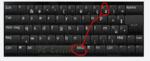
its AZERTY keyboard by defaultseems keyboard not working also lol
Post automatically merged:
The server is working great. Thank you.
Two questions:
1. Where can I get map descriptions?
2. Where can I find items for the store? I took it from 4.0, but it seems to me that this is not entirely correct.
One of the quests is impossible to complete, where you need to buy a scroll of purification in the store. I had to tweak the quest so that I could skip it for reputation.
Two questions:
1. Where can I get map descriptions?
2. Where can I find items for the store? I took it from 4.0, but it seems to me that this is not entirely correct.
One of the quests is impossible to complete, where you need to buy a scroll of purification in the store. I had to tweak the quest so that I could skip it for reputation.
OP
The server is working great. Thank you.
Two questions:
1. Where can I get map descriptions?
2. Where can I find items for the store? I took it from 4.0, but it seems to me that this is not entirely correct.
One of the quests is impossible to complete, where you need to buy a scroll of purification in the store. I had to tweak the quest so that I could skip it for reputation.
1. Where can I get map descriptions?
You must to find by yourself sorry , but if i remember welll you can see on ragezone on the thread that witchrevian did for 4.0 , one guy gave it maps.cfg and it had map name in it
2. Where can I find items for the store? I took it from 4.0, but it seems to me that this is not entirely correct.
Its the same process as adding and item in 4.0, instead to be in mysql its in postgresql.
You must to white list your item and then add it via sql request
I threw off my idlist .maps are created in much the same way .. But I haven 't created it yet ... who will throw off - that's a good fellow (let's not be greedy)2. Where can I find items for the store? I took it from 4.0, but it seems to me that this is not entirely correct.
Attachments
Last edited:
milowdruida
Member






OP
Hi, is the map loaded ? I dont know the name for this one sorry. A thing with plague_castle in name perhapsi'm having this problem. anyway to fix this?
OP
Did your shard have allods online written on it ? if yes wait a bit when its print and try to reconnectАny help? VM by default, run all bat from server_starting folder
View attachment 2789
Thank for files. Working on server and website
You do not have permission to view link
Log in or register now.







set account to Master. Account table.Аny help? VM by default, run all bat from server_starting folder
View attachment 2789
View attachment

Manias
New member

Thanks for everything.Hi here you can download a VM ready with a ready made 7.0 server.
PS: the files are not vanilla 7.0 !!! !! ! !!!
⚠⚠ the keyboard is in azertyuiop ⚠⚠
ID : Administrateur
PW : @@Fido67 (change it lmao)
OS : Windows server 2016 , why Windows server 2016? because I dont want to do support on linux due to beginner, you learn by yourself sorry, if you want to do it on linux you must to have at least system and network knowledges on it.
First : you download oracle VM or use your favorite VM software.
Second : You import the download VM ⚠⚠ WITH YOUR REQUIREMENT !!!! and with reset mac adress option pls..... xd 10go of ram and 4 processor core by default ⚠⚠
Third : You configure network param of your VM with your networks param. By default :
CIDR = 255.255.255.0 (/24)
static ip = 192.168.1.101
Routeur ip = 192.168.1.254
follow this to change it if you know nothing, im lazy to describe it.
You do not have permission to view link Log in or register now.
Oh, in DNS put 8.8.8.8 if you want to navigate on internet but useless.
PS: Use the windows remote connection when you configure all, its better
Here the link of the VM :
One drive :You do not have permission to view link Log in or register now.
password is : fido67
MegaYou do not have permission to view link Log in or register now.
password is : fido6772
For the client:
You do not have permission to view link Log in or register now.password is : fido67
Important :
You must to change all ip 192.168.1.101 by your new local IP
Additonal information :
Firewalll is off, must to activate it again and open those ports in TCP : 9340,9325,9323,9322,9324,9317
In theory The VM is ready to be in production, just need to do port forwarding on your modem or main routeur.
Ports to forward : 9340,9325,9323,9322,9324 if I didnt forget one.
You must also to change in shard/cfg/shard.xml :
<frontend externalhost="With your modem or main routeur IP" blla bla bla bla bla >
If you connect with external IP and you enter in server list but cant enter in server, juste need to see at top left wich port is blocking and forward it, if it is forwarded check your firewall.
For the client : Im currently packing one !
additional information :
postgres pw is postgres
mysql pw is root
So change it pls if you open the server to public

OP
O
Oh i never asnwered you, i apologize. LAN mean local area network, so its behind your modem in your case into your house network to resume. So any computer connected to your modem can join the serverThank you Fido,
I'm a complete noob in computer networks... When you mean it's ready for LAN play, do you mean that it's meant to be played on the same computer the virtual machine is running on? I don't get it
Also on the part where you ask to open some ports and edit the IP address; could you please provide more details? Thank you

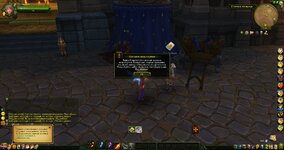
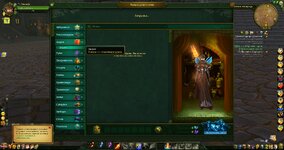
Judging by the screenshots from the game, this client was originally in Russian and then modified to English, perhaps you still have the original files to return the Russian language client to?Hi here you can download a VM ready with a ready made 7.0 server.
PS: the files are not vanilla 7.0 !!! !! ! !!!
OP
Hi, i havent got the russian text.pak sorry, you can try to take allods sunshine oneJudging by the screenshots from the game, this client was originally in Russian and then modified to English, perhaps you still have the original files to return the Russian language client to?
View attachment 2822
View attachment 2824
Guys, how to change the language in the game I copy the language pack to the client Data/Packs directory but the language is still English. I also tried to change the language in the Localisations file in the Profiles/Localisations.ini directory.
Я так понимаю нужен русский клиент? Для этого достаточно из приложенного архива взять файл pack.loc и закинуть его в папку Allods7.0CustomClient\data\Bin\ (папку Bin в data нужно создать). Кроме того, помимо копирования файлов из архива, нужно удалить (или переименовать) файл "Allods7.0CustomClient\data\Packs\Texts.pak", т.к. если есть оба файла:
Allods7.0CustomClient\data\Bin\pack.loc
Allods7.0CustomClient\data\Packs\Texts.pak
то приоритет отдаётся "Allods7.0CustomClient\data\Packs\Texts.pak", соответственно нужного результата Вы не получите.
Можно конечно запаковать "pack.loc" в "Texts.pak", но зачем, если он и так прекрасно работает )
В приложенном архиве есть ещё 2 изменённых файла: "global.cfg" и "localizations.cfg", на работоспособность это особо не влияет, но с точки зрения построения RU-клиента, на мой взгляд, исходя из анализа других RU-версий AO, более правильно.
В этих файлах следующие изменения:
Allods7.0CustomClient\Personal\global.cfg
В этом файле нижеследующие параметры указывают с какой локалью должен загрузиться игровой клиент:
оригинальное
Code:
localization="eng_eu"
localization_charset_win_gdi=1
Code:
localization="rus"
localization_charset_win_gdi=204Allods7.0CustomClient\Profiles\localizations.cfg
Этот файл отвечает за то, какие локали может выбрать пользователь в игровом клиенте, при выборе в нём другой локализации изменения автоматически вносятся клиентом игры и в файл "Allods7.0CustomClient\Personal\global.cfg":
оригинальное
Code:
localization = "eng_eu"
localization_name eng_eu: eng_eu
localization_desc eng_eu: eng_eu - need game restart
Code:
localization = "rus"
localization_charset_win_gdi=204

localization_name rus: Russian
localization_desc rus: Russian language (need game restart)
В приложенном архиве в данном файле есть пример выбора 5 языков из игрового клиента, но для перевода клиента естественно к каждому языку должен быть файл локализации (pack.loc).
P.S. Большое спасибо allods-sunshine.com за дополненную локализацию под данный модифицированный сервер.